
Templates
Este conteúdo não está disponível em sua língua ainda.
Overview
Section titled “Overview”You can browse templates in the template gallery. Most of them can be applied to an existing server with Xenon, or used to create a new server with Discord’s own template feature. Some older templates only exist inside Xenon and can only be used through it.
Applying a template
Section titled “Applying a template”Applying a template replaces all channels and roles in the server. It doesn’t kick any members.
You can apply any Discord template to an existing server by giving its link. To apply one of Xenon’s older templates, give its name instead.
name_or_id requiredThe name, id, or link of the template you want to apply, like starter, 6p9d4EBbuYcM, or
https://discord.new/6p9d4EBbuYcM.
options optionalA list of options, separated by spaces. Put ! in front of an option to turn it off.
* turns all of them on and !* turns all of them off.
- Values
channelsdelete-channelsrolesdelete-rolessettings- Default
delete-channels channels delete-roles roles settings
/template load name_or_id: r2uhQjNFKYHA options: !* delete-roles rolesApplies the roles and nothing else.
/template load name_or_id: r2uhQjNFKYHA options: !delete-roles !delete-channels !channelsAdds the template’s roles and settings, and leaves the server’s own roles and channels alone.
Creating a template
Section titled “Creating a template”Turn your server into a template and list it in Xenon’s template gallery.
-
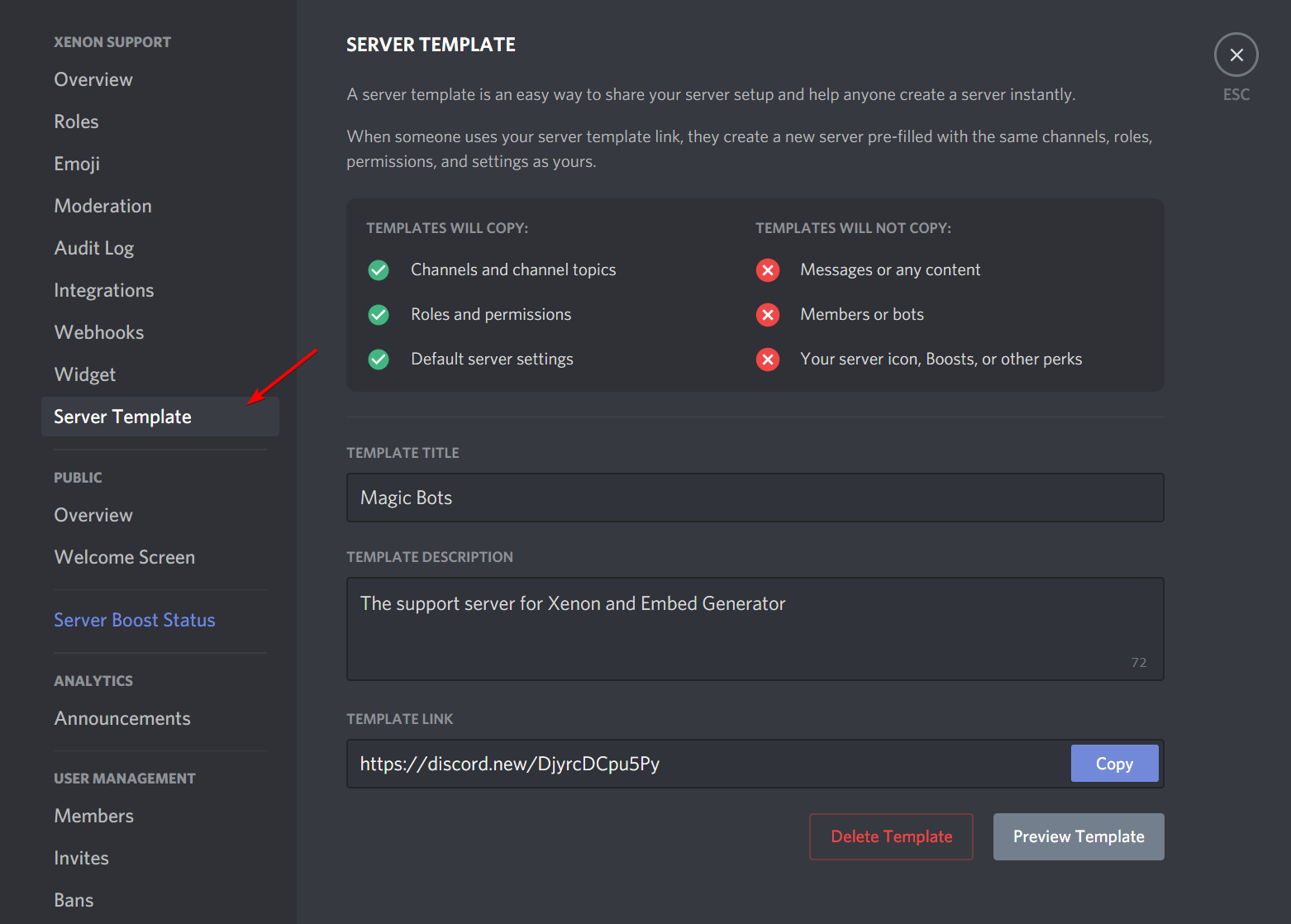
Open the server settings of the server you want to share, then find the “Server Template” tab.
-
Fill out all the required details.
-
Copy the template link.
-
Paste the link into the submit form.
It should now be available in the template gallery.
Browsing templates from Discord
Section titled “Browsing templates from Discord”Show the public templates without leaving Discord. The gallery also has search and filters, which this command doesn’t.
Template info
Section titled “Template info”Show a published template’s name, description, and how many people have used it. This doesn’t apply it to your server.
name_or_id requiredThe name, id, or link of the template you want to look at.
Checking or canceling a running template
Section titled “Checking or canceling a running template”Shows how far the template being applied on this server has gotten.
Stops applying the template. Anything already applied stays.